

A task can begin with one line.
Capture the action while it is clear. Add a person or meeting when that context helps. A deadline is optional: an undecided date stays empty, and a date-only deadline stays on that day when you travel.
A deadline and a work block do different jobs.
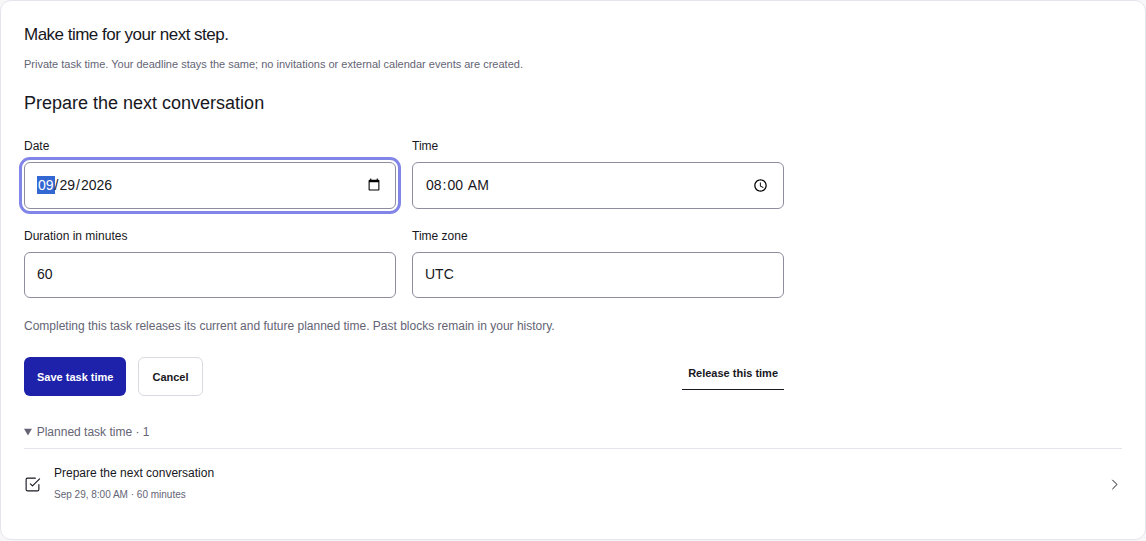
A deadline says when something is due. A work block says when you plan to work on it. Reserve a private block, move it when the day changes, or remove it while keeping the task. Completing a task releases its unfinished future blocks.
Close the loop.
Complete a task in one action and use the available undo when needed. Meeting-linked tasks keep the original context within reach. AI proposals require your review and confirmation; retrying that confirmation does not create another copy.
Keep expectations clear.
The development preview supports reviewed daily, weekly and monthly follow-ups with a finite end: at most 100 tasks within one year. Creating a series requires active Pro access; viewing existing tasks and cancelling untouched future occurrences remain available after access expires. Completed tasks and individually edited occurrences are preserved. Review a change to the remaining series before applying it; past, completed and individually edited occurrences stay intact.